
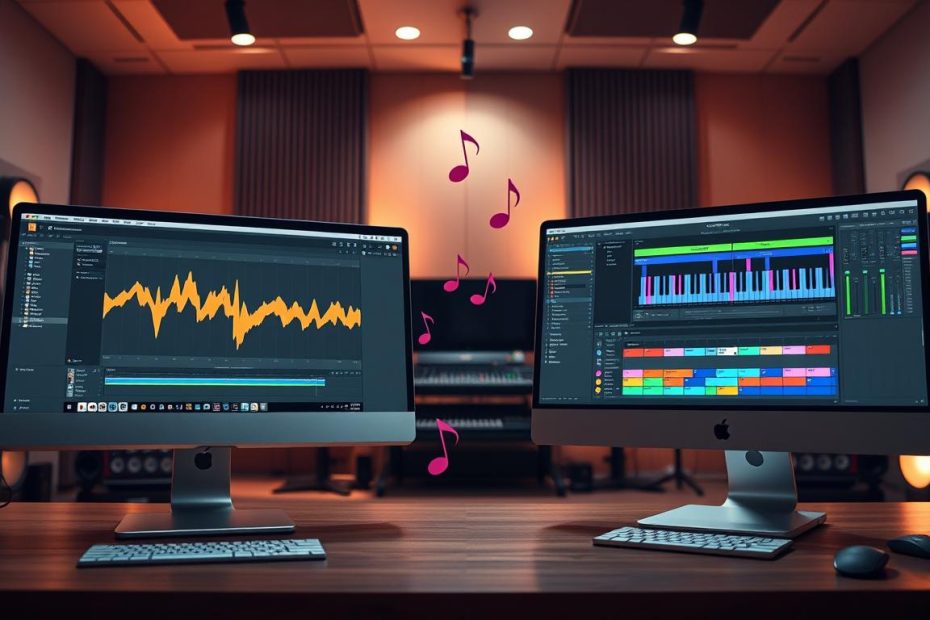
What this article offers: help choosing between two essential music production programs.
Context: in 2025, two approaches stand apart: one favors patterns and speed, while the other emphasizes clip manipulation and live performance.
We assess workflow, price, real-world uses and how well your choice will serve you over time. You will learn how the approaches differ, which plugins are included and which editions are available.
This section also covers the deciding factors: interface and workflow, multitrack audio, compatibility, ecosystem and community. Practical examples involving rap and trap, electronic music, live performance and studio work will help you identify what suits you.
Watch out for a common pitfall: do not judge by the initial cost alone. Consider updates, ease of use and the way you create music.
Before buying, try the demos and read our complete guide to make an informed choice.
Understand your needs in 2025: workflow, budget and real-world uses
Start by defining what you expect from music production software today.
Clarifying your needs helps you avoid buying the wrong license. If you make beats quickly, the simplicity of the step sequencer and Channel Rack may appeal to you. If you picture yourself building sets and improvising, Session View offers a more fluid way to perform.
Workflow is central: you can use patterns to work faster or clips to test ideas onstage. Consider the real price too: depending on the software and edition, you may pay once or pay for later upgrades.
Think about what you do: record vocals, design sounds, sample, perform electronic music live, or make rap and trap beats. Your experience matters as well: many producers begin with the interface they find simplest, while performers often prioritize multitrack audio.
- Choose the edition that fits your studio or stage work.
- Consider how much time you have to produce music each day.
- Follow resources shared by producers who inspire you.
| Edition | Recommended use | Key advantage |
|---|---|---|
| Fruity / Intro | Basic beatmaking | Simple and easy to learn |
| Producer / Standard | Versatile studio work | Multitrack audio and plugins |
| Signature / Suite | Sound design / Advanced live performance | More instruments and tools |
For a closer comparison of DAWs, read our guide to the best DAWs, or discover our tips for getting started with mixing here.
Interface and workflow: Session and Arrangement Views versus patterns and the Piano Roll
The interface directly affects how your ideas become tracks. A good workflow reduces interruptions and preserves your creative momentum.
Session and Arrangement Views for performance and production
Session View lets you launch audio and MIDI clips on the fly to improvise arrangements. Arrangement View then provides a conventional timeline for finishing the track.
Step sequencer, Channel Rack and Piano Roll for faster work
A pattern-based approach helps you place kicks, snares and hi-hats in just a few clicks. The Piano Roll excels at creating arpeggios, chopping and humanizing parts, all useful in rap and trap.
Speed and creativity: create without interruption
- Quick experimentation: clips let you test ideas in real time.
- Faster production: the step sequencer and Channel Rack let you build beats quickly.
- Hardware control: a simple MIDI setup makes recording smoother.
| Approach | Strength | Effect |
|---|---|---|
| Clips and scenes | Live improvisation | Quick variations and fluid arrangements |
| Linear arrangement | Detailed editing | More precise final mixing |
| Pattern / Step | Production speed | More beats in less time |
| Advanced Piano Roll | Editing tools | Complex patterns and humanization |
Try a demo edition to see how quickly you can create in your style. Differences in tools and plugins also affect your productivity.
Plugins, editions and updates: what affects the long-term price
Your choice of plugins and editions determines a DAW’s real price over several years.
FL Studio includes powerful tools such as Gross Beat for glitch and stutter effects, FLEX, Fruity Slicer and Fruity Parametric EQ 2. These effects let you produce complete tracks without external VSTs.
Meanwhile, the competing software’s Suite edition offers extensive sound packs and Max for Live for building custom devices. These libraries make production and experimentation faster.
The major difference concerns updates: FL Studio offers free updates for life after purchase, whereas other developers charge for major upgrades. Over time, that affects the total cost.
- Fruity/Intro edition: ideal for beginners, but check its recording limitations.
- Producer/Standard: a good balance for studio production.
- Signature/Suite: more content and additional instruments.
If you are unsure, start with an edition that meets your needs, then upgrade later. For a detailed comparison and buying advice, read our guide to choosing a DAW.
Live performance and improvisation: Ableton Live’s territory
Onstage, Session View turns a computer into a responsive, flexible instrument.
Session View lets you improvise in real time. You can test transitions and play modular sets without stopping the flow.
Launching clips and moving between scenes makes performing easier. MIDI setup is quick and gives the artist clear feedback.
Warping and time stretching adjust audio to the overall tempo. This is ideal for remixing stems and reworking audio on the fly.
Sound packs, especially in Suite, expand the sounds available onstage. They reduce the need to load too many VSTs during a performance.
In a typical electronic set, you launch stems, loop sections and automate tempo-synced effects. Ableton Link helps synchronize multiple devices.
Live performance is possible with the other program, but the process is less fluid. It focuses primarily on building patterns and arranging them in the Playlist.
| Feature | Advantage | Onstage effect |
|---|---|---|
| Session View | Instant improvisation | Modular, fluid sets |
| Warping / Time stretching | Syncing audio to the tempo | Quick remixes and adjustments |
| Packs (Suite) | Ready-to-use resources | Less preparation for live shows |
| MIDI setup and Push 2 | Hands-on control | An instrument-like experience onstage |
Audio recording and editing: from multitracking to time stretching
Capturing several tracks with good sound quality requires a clear signal chain and reliable routing. In the studio and onstage, the method matters as much as the microphone.
Recording chain: arm the tracks, route them to your interface and enable monitoring. The sequence is straightforward: armed track → assigned input → recording. This makes it easier to record vocals and instruments across multiple tracks.
Audio warping: clean, adaptable loops
Time stretching (warping) turns a recording into a loop synced to the tempo. Choose an appropriate algorithm, then adjust the markers and rhythmic alignment to limit artifacts.
Multitracking and routing: clarity and limitations
Routing is intuitive and logical, which speeds up sessions with musicians. Comping, audio quantization and clip management let you arrange and correct takes quickly after recording.
The other DAW handles audio too, but it is less immediate for complex multitrack sessions. That can slow down takes and require workarounds during recording.
- Studio advantage: an easy-to-use workflow for recording new takes.
- Compatibility: MIDI and VST support for integrating third-party plugins and effects.
- Recommendation: favor this option if your projects center on live playing, microphones and real instruments.
Compatibility, controllers and ecosystem: MIDI, VST and Push 2
A well-planned setup makes creating music easier and reduces trips back to the screen.
MIDI/VST compatibility: both programs support keyboards, pads, control surfaces and most VST plugins. This makes it easy to integrate consumer or professional hardware.
Compatibility and control setup
MIDI setup is simple and clear. You can assign buttons, faders and pads in a few clicks. This helps with Ableton sessions in the studio or onstage.
Push 2 as an instrument
Push 2 acts as a hardware extension of the software. It lets you play melodies, sequence rhythms and create clips without looking at the screen.
“Staying focused on the musical idea changes everything: you compose faster and improvise better.”
Ecosystem: sound packs, Max for Live devices, project templates and scripts expand what you can do. Choose your controller according to the DAW you use most so you can benefit from its integration.
| Element | Advantage | Effect |
|---|---|---|
| MIDI/VST compatibility | Broad hardware support | Quick setup |
| Push 2 | Screen-free control | Creation without a mouse |
| Ecosystem | Packs and devices | A personalized way of working |
Community, resources and learning: where to find help
Finding useful help starts with identifying the right platforms and creators.
Resources are plentiful: video tutorials, official documentation, blogs and online courses. Some YouTube channels specialize in modern beatmaking; others focus on live performance and sound design.
Overview of resources
- YouTube channels and paid courses for learning methods quickly.
- Forums, Discord and Reddit for exchanging ideas and getting feedback.
- Project templates and official packs as starting points.
Specialization: the beatmaking community offers focused guides to 808s, hi-hats and mixing productions. The live performance ecosystem offers many more tutorials on set design and Max for Live.
“Learn by completing a project: recreate a track and finish it to improve quickly.”
Practical tip: limit your tutorial watching and prioritize guided practice. Join local or online groups to get regular feedback.
| Resource | Use | Advantage |
|---|---|---|
| YouTube channels | Techniques and tips | Free access and varied content |
| Forums / Discord | Feedback and collaboration | Quick answers from the community |
| Project templates and packs | Starting point | Time saved during production |
To explore mixing and shaping your tracks further, consider a mixing course. This kind of structured learning helps producers organize their studies and refine their musical choices.
Ableton or Fruity Loops: how to make the right choice
Choosing a DAW starts with understanding your working pace and goals.
Deciding factors: workflow, musical style, stage use, tools and updates
Define your workflow: onstage improvisation or rapid pattern building. That will guide your choice.
Match your musical genre to the software’s workflow. Rap, trap and Afro music benefit from the step sequencer and Piano Roll. Electronic music performed onstage benefits from clips and warping.
The interface and multitrack audio matter if you record vocals and guitars. Recording often flows more smoothly in a studio equipped with Ableton.
Ableton Live studio or FL studio: advantages for different goals
Budget strategy: a license with free lifetime updates reduces FL Studio’s total cost. Other developers charge for periodic upgrades.
| Criterion | Main advantage | Recommended editions |
|---|---|---|
| Live performance | Clips and warping for improvisation | Suite / Standard |
| Fast beatmaking | Patterns and built-in plugins | Producer |
| Multitrack recording | Clear routing and easier comping | Standard / Suite |
Try the demos and measure how long it takes to create a complete track. Choose according to how you create and what you want to achieve over the next 12 to 24 months.
Practical uses: rap and trap, electronic music, budget and editions
To decide, let us look at practical situations: studio beatmaking, live performance and budget management. These examples help you choose the most suitable edition and optimize the total price.
Rap / trap / Afro beatmaking
A typical method: build kicks, snares and hi-hats in short patterns, draw sliding 808 lines in the Piano Roll and make quick variations with the Step Sequencer.
Layering and effects: use built-in tools to create stutter effects and apply time stretching, along with synthesizers for melodies and basslines.
Electronic music and live performance
Organize your sets into scenes, launch clips and automate synchronized effects. Creative resampling lets you move between distinctive textures live.
Budget and updates
If you produce a lot, account for free lifetime updates: they reduce costs over several years.
Edition guidelines: Producer remains versatile for studio work; choose Standard or Suite if you perform live or want to use Max for Live.
| Use | Recommended edition | Advantage |
|---|---|---|
| Beatmaking | Producer | Fast and comprehensive |
| Live / performance | Standard / Suite | Scenes and instruments |
| Advanced sound design | Signature / All Plugins | More tools |
Tip: try both ways of working: compose beats in one program and perform your sets in the other if you divide your time between studio and stage.
Conclusion
The real deciding factor is how you create and what you want to play in public.
In 2025, FL Studio stands out for fast beatmaking thanks to its built-in plugins and free lifetime updates. Ableton Live remains a leading choice for performance, multitrack audio and exploration with Suite and Max for Live.
Choose FL Studio if studio speed and a one-time purchase matter most. Choose Ableton Live if stage work, audio warping and flexible clips are essential to you.
Try the demos, measure the time it takes to finish a track and document your process with project templates and checklists. That way, your decision will match your music production and electronic music goals.