
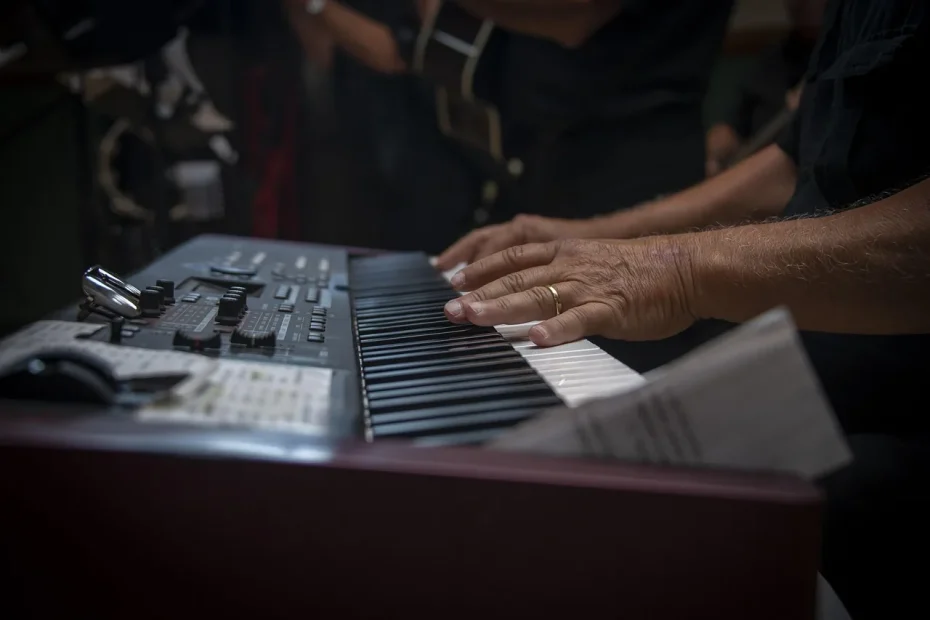
Goal: help you choose a controller based on your skill level, style, and budget.
A controller lets you launch clips, play pads, and adjust parameters. It speeds up creation in the studio and on stage.
Types: these include dedicated pad controllers (Launchpad, Push 2), keyboards with pads (Launchkey, Oxygen), and standalone workstations (MPC Live II, MASCHINE+).
Compatibility with Ableton Live, pad quality, and durability are key criteria. Native integration (Push 2, APC40 MKII) simplifies the workflow.
This guide covers buying criteria, integration scenarios, and picks by category. It also offers recommendations for different users and budgets.
Explore the best options for 2024 and narrow your choice according to your actual needs: studio work, live performance, or mobile production.
2024 buying guide: understanding the role of a MIDI controller in your Ableton Live production
A good controller is the physical interface between you and the software.
It connects the producer to Ableton Live so you can play, record, mix, and automate faster than with a mouse. Modern USB models are often ready to use and compatible with other software, such as FL Studio or Logic Pro X.
Formats vary by use: pad or grid controllers (Launchpad X, APC64), keyboards with pads (Launchkey, Oxygen), and standalone workstations (MASCHINE+, MPC Live II). Choose according to how you work in the studio or on the move.
Essential features include velocity-sensitive pads, aftertouch, assignable faders, encoders, and screens for visual feedback. Bundled software (Ableton Live Lite, plugins) makes setup easier and gives you immediate access to sounds.
When setting a budget, weigh price against build quality, features, and your actual needs: a computer is enough for most USB controllers, while standalone workstations work without one and offer external inputs and outputs.
- Benefit: native integration saves time and makes the controller easier to use.
- Check: compatibility, custom modes, mapping, and bundled software.
MIDI controllers for Ableton Live: how to choose
Using a physical controller changes how you shape a track.
First, check software compatibility and native integration. Preconfigured control surfaces reduce the setup needed before you play. Push 2, APC40 MKII, and some Launchkey models offer this convenience with Ableton Live.
Next, compare playing surfaces. Pads suit clips and rhythms; keys remain essential for melodies. Choose velocity-sensitive pads and aftertouch if you want expressive control.
For mixing and sound design, faders, encoders, and buttons should be easy to reach. A screen provides useful visual feedback on parameters. Push 2 and MPC Live II stand out for their ergonomics and visual feedback.
Finally, consider portability. USB power is often enough, but a battery and speakers (MPC Live II) make live use easier. Match your budget to the value offered, and check the essential controls before buying.
| Model | Control surface | Strengths | Best for |
|---|---|---|---|
| Push 2 | 64 pads, encoders | Full integration, touch strip | Production and live performance |
| Launchpad Pro MK3 | 64 RGB pads | Polyphonic aftertouch, sequencer | Clips and rhythms |
| MPC Live II | Pads and 7-inch screen | Battery, speakers, Ableton Link | Mobile and standalone production |
Need help narrowing your choice? Consult a buying guide to compare models and prices.
Ableton Live integration: use cases and workflows
A well-planned setup reduces mistakes on stage and speeds up production in real time.
Live performance: launching and navigation
On stage, the goal is a smooth performance. Launch clips and scenes with quantization, switch banks, and track their status through the pads’ RGB feedback.
APC40 MKII, Launchpad Pro MK3, and Push 2 make navigation easier and help prevent mistakes. Consider locking essential controls before your performance.
Studio creation: editing, automation, and mixing
In the studio, use sample editing and automation recording. Push 2 lets you edit samples and adjust parameters with its encoders.
Mix with the faders, manage sends and returns, then refine effects to speed up creation and mixing.
Mapping and custom modes
MIDI mapping makes it easier to assign buttons and save setup templates. Preconfigured control surfaces reduce setup time.
Use the Launchpad Pro MK3’s custom modes through Novation Components, and synchronize external hardware with Ableton Link (MPC Live II) for a reliable performance.
Create separate setups for the stage and studio, and avoid unnecessary scene changes to respond faster. To go further, explore advanced tools such as Max for Live.
The best pad controllers for Ableton Live in 2024
This selection features devices designed for playing pads, launching clips, and finger drumming.
Ableton Push 2
Push 2 offers 64 RGB pads, 8 touch-sensitive encoders, and a touch strip. Its high-resolution screen provides detailed visual feedback.
Novation Launchpad Pro MK3 and Launchpad X
The Launchpad Pro MK3 offers polyphonic aftertouch and a four-track, 32-step sequencer. The Launchpad X features USB-C and Session, Note, and Custom modes.
Akai APC64 and APC40 MKII
APC64 combines 64 RGB pads with customizable mapping, making it well suited to Session View. The APC40 MKII offers a 5 × 8 grid, 8 faders, and 18 encoders, ideal for mixing clips on stage.
Key points to compare:
- Aftertouch and visual feedback from responsive pads, which support expressive playing.
- Preset mappings and quick-access buttons (transport, quantization, devices) that reduce reliance on the screen.
- Pad quality and sensitivity, comfort for finger drumming, and accessories such as cases and stands.
| Model | Pads | Key advantage | Recommended use |
|---|---|---|---|
| Push 2 | 64 RGB pads | Full integration, touch-sensitive encoders | Studio creation |
| Launchpad Pro MK3 | 64 RGB pads | Aftertouch, sequencer | Production and sequencing |
| APC64 | 64 RGB pads | Customizable mapping | Session View performance |
| APC40 MKII | 40 pads | Dedicated faders and mixing controls | Live mixing |
To compare more options and narrow your choice, consult a complete guide to the best controllers.
Ableton-focused keyboard controllers: play, mix, and produce
Keyboards combine playing and control functions to speed up creation in the studio and on stage.
Novation Launchkey MK3 comes in 25-, 37-, 49-, and 61-key versions. It offers 16 RGB pads, 8 knobs, and, on the 49- and 61-key versions, 9 faders and transport controls. Its 5-pin MIDI output and bundled Ableton Live Lite software make it a versatile choice.
M-Audio Oxygen Pro offers semi-weighted keys (25, 32, 49, or 61), 16 RGB pads, an arpeggiator, and Smart Chords. Its assignable faders speed up automation recording.
Novation SL MK3 is a premium option with 5 LCD screens, 16 pads, 8 faders and encoders, and an eight-track sequencer. Its CV and MIDI connections, inputs, and outputs complete a hybrid hardware and software setup.
Alesis V49 covers the essentials: 49 keys, 8 pads, and a simple arpeggiator. It suits a tighter budget.
Akai MPK Mini MK3 focuses on mobility: 25 mini keys, 8 MPC-style pads, 8 rotary knobs, and an OLED screen for quickly managing parameters on the move.
- Use these keyboards to play instruments, trigger pads, and control the mix.
- The Novation Launchkey stands out for its integration and practical controls.
- Choose the V49 or MPK Mini according to your budget and portability needs.
To compare more models and refine your selection, consult the best MIDI keyboards.
Standalone workstations and workflows compatible with Ableton
Standalone workstations free up the creative process by removing the need for a computer in the main workflow.
Why choose a standalone workstation? It lets you create and perform without a computer. You gain mobility and can control external hardware through MIDI and CV.
Native Instruments MASCHINE+ combines 16 pads, two color screens, a built-in processor, and a large sound library. It offers MIDI inputs and outputs, stereo outputs, and line and instrument inputs. Its trade-offs are the price and a steeper learning curve.
MASCHINE MK3 and MIKRO MK3
The MK3 adds two screens and a 24-bit/96 kHz audio interface. Its pads remain highly responsive, and its software engine is the same as MASCHINE+.
The MIKRO MK3 retains the pads and portability. It omits the screen and audio interface in favor of a lighter format, ideal for travel.
Akai MPC Live II
The MPC Live II includes a 7-inch touchscreen, 16 RGB pads, a battery providing about five hours of use, and speakers. Ableton Link makes synchronization with Ableton Live easier, while Multi MIDI lets you manage a complete studio.
| Model | Strengths | Connections | Recommended use |
|---|---|---|---|
| MASCHINE+ | Two screens, built-in library, standalone operation | MIDI inputs and outputs, stereo outputs, line inputs | Mobile and studio music production |
| MASCHINE MK3 | Screens, 24-bit audio interface, responsive pads | USB, MIDI inputs and outputs | Studio with a built-in interface |
| MIKRO MK3 | Compact format, same sounds, portability | USB only | Travel and quick sketches |
| MPC Live II | Touchscreen, battery, speakers, Ableton Link | Multi MIDI, CV/Gate, USB, SD, audio | Standalone performance and studio management |
Compare the features, live-performance options, and budgets before buying. To explore other standalone workstations, also consider the Akai Force as an alternative.
Recommendations by experience level, style, and budget
Consider your experience level: each level calls for specific features and a price range.
Beginners
Goal: simplicity and ease of use.
Recommended options: Novation Launchpad X, Akai MPK Mini MK3, and Alesis V49. These models are quick to learn and come with software.
Intermediate users
Goal: versatility in the studio and on stage.
Consider Launchkey MK3, Oxygen Pro, or APC40 MKII. They combine keys, pads, and faders for playing and mixing in real time.
Advanced users and live performers
Goal: deep integration and independence from a computer.
Push 2, SL MK3, MASCHINE+, MPC Live II, and APC64 suit demanding performances. Look for screens, sequencers, inputs and outputs, and a battery for greater independence.
- Buying path: price ranges and useful options to help you choose quickly.
- Try pad controllers and keyboards according to your experience and needs.
- Prioritize features that suit your musical style and production needs.
Conclusion
In short, there is no universal model: it depends on your needs. Therefore, prioritize ergonomics and the quality of the pads and keys. These directly affect velocity-response precision and comfort in the studio.
Check integration with your software and the level of independence you want. Assess the number of faders and encoders, as well as the presence of screens, before buying.
Try the product ranges mentioned (Native Instruments, Novation Launchkey, Akai) and start with a simple setup that can grow with you. For a practical comparison, consult this top five and the advice on free mixing software.