
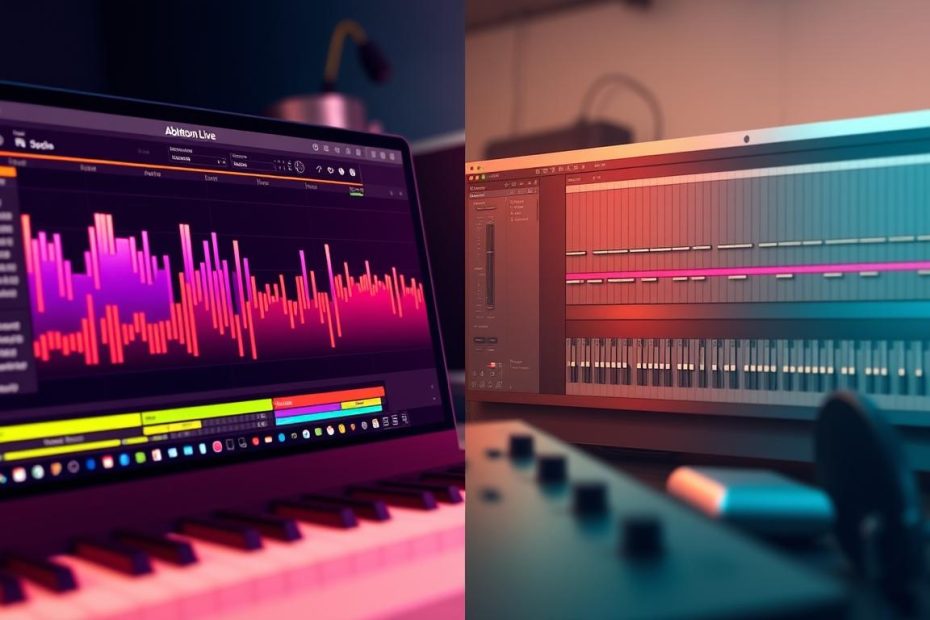
Setting the scene: this article compares two leading music production tools to explain their differences, without declaring a winner. It examines the practical factors that shape a track, from the first draft to the final mix.
Goal: help users choose according to their needs, budget, and working environment, without imposing a universal verdict.
Scope: the comparison is based on specific versions, Live 11 Suite and Logic Pro 10.7.3, on Mac. This keeps the findings consistent.
Background: one became established in live performance and onstage improvisation, the other in studio composition, recording, and mixing.
Areas of analysis: interface, MIDI instruments, recording, mixing, effects, genres, price, and ecosystem. The approach assesses workflow according to the type of project and computer.
By the end, you will be able to identify the software that fits your creative and practical priorities. To complement this analysis, see this practical guide to choosing software for beginners.
Background to the debate and versions compared
This comparison remains relevant because each application offers a complete solution suited to different uses.
The analysis covers the following versions: Ableton Live 11 Suite and Logic Pro 10.7.3. These versions strengthened their built-in instruments and effects, providing a solid basis for assessing workflow and stability.
The test was conducted on Mac to allow a fair comparison. Live is also available on Windows, however, which broadens its base of users and its presence in the market.
The two applications have converged on many features while retaining distinct identities: one favors a view and workflow suited to real-time experimentation; the other remains geared toward long studio sessions.
For context, professional applications such as Pro Tools remain benchmarks for advanced editing and mixing.
- Why the comparison endures: both cover composition, recording, editing, and mixing.
- Finer points: the choice depends on usability, speed, and lasting stability.Long term: these factors matter after the initial learning period, too.
- Timing: the versions considered are mature enough to provide a sound basis for comparison.
| Aspect | Version tested | Focus |
|---|---|---|
| Instruments and effects | Ableton Live 11 Suite / Logic Pro 10.7.3 | Similar features, different sounds |
| Workflow | Comparison on Mac | Real-time iteration or structured sessions |
| Ecosystem | Compatibility and controllers | Different users and other professional options |
Interfaces and arrangement views: linear workflow and visual approach
The design of each view shapes the approach: linear precision or immediate visual control.
Logic Pro: traditional view and full Channel Strip
Logic Pro’s linear view brings mixing and editing together. The Channel Strip on the left provides direct access to inserts, sends, and dynamics processing.
There are many customizable pointer tools for tasks such as selecting, cutting, fading, and automation. Shortcuts speed up repetitive work.
Ableton Live: horizontal inserts and WYSIWYG editing
The insert area sits horizontally at the bottom, making it easy to drag and drop plugins, instruments, and audio files.
Editing uses context-sensitive areas: local zoom, click-to-audition, trimming from the edges, and dragging to reposition. Dropped files can often become sampler instruments instantly.
Effects on editing speed and track organization
In summary:
- Approaches: the linear view favors precision; the visual approach makes experimentation faster.
- Organization: Logic makes it easy to control the mix directly from the arrangement; Live puts the device chain in view for quick adjustments.
- Computer: suitable controllers can reduce reliance on the mouse and speed up the workflow.
MIDI in depth: editing, effects, and software instruments
Mastering MIDI changes how a producer builds patterns and textures.
Logic Pro: precise editing and loop recording
Logic Pro offers a highly precise event editor. Notes, their velocity, and controllers can be adjusted individually without losing the rhythm.
Loop recording lets you capture multiple takes, open a take folder, and combine the best parts. The built-in sequencer speeds up this work.
Fast workflow and creative MIDI effects
Ableton Live emphasizes a responsive note editor and MIDI effects racks. Chance and Velocity settings, adjustable for each note, add controlled randomness.
This workflow encourages immediate creation and the exploration of rhythmic variations.
Ultrabeat, Alchemy, Wavetable: a sound-making toolkit
Ultrabeat is a compact step sequencer with multiple outputs and patterns that can be dragged into the arrangement. It is ideal for quickly creating kits and grooves.
Alchemy sculpts evolving textures; Wavetable makes it possible to create sounds quickly. These instruments round out the built-in features.
| Function | Main strength | Recommended use |
|---|---|---|
| MIDI editing | Detailed event editor | Complex MIDI arrangements |
| Sequencer and patterns | Ultrabeat: step sequencer, multiple outputs | Rhythmic foundations and kits |
| Synthesis | Alchemy and Wavetable | Evolving textures or quick sound creation |
Controllers and hardware integration
Using a dedicated device profoundly changes the workflow in the studio and onstage.
Push 2: control without touching the computer
Push 2 integrates so closely with Ableton Live that you can browse libraries, choose sounds and effects, slice samples, and play on 64 pads without returning to the computer.
Its hands-on controls let you play chords, create MIDI loops, and launch clips. For live artists and beatmakers, it can substantially speed up creation.
Logic Remote: mobility and control within the Apple ecosystem
Logic Remote turns an iPad or iPhone into a native remote control for Logic Pro and GarageBand.
The app makes it easy to control transport, the mixer, and instrument parameters. It is ideal for recording from the booth or adjusting a mix without touching the workstation.
- Ecosystem: MIDI compatibility is broad, but integration between Ableton Live and Push 2 is tighter.
- Uses: Push 2 suits performance; Logic Remote adds mobility in the studio.
- Usability: a good hardware interface improves focus and makes it easier to work on a project over time.
| Function | Push 2 | Logic Remote |
|---|---|---|
| Browsing sounds and effects | Full navigation from the controller | Control from the iPad touchscreen |
| Live performance | Clip launching, pads, and instruments | Limited use, mainly studio-oriented |
| Recording | Suited to MIDI loops and beats | Excellent for remote takes and mixing |
| Compatibility | Built-in features and compatibility with third-party tools | Native integration with Logic Pro and the Apple ecosystem |
Audio recording, editing, and mixing
For demanding projects, track capacity and latency shape the workflow.
Multitrack capacity and low latency
Logic Pro handles up to 1,000 audio and MIDI tracks, allowing work on large sessions, such as orchestral projects, band recordings, or complex productions, without sacrificing editing responsiveness.
Low Latency Mode makes recording with a microphone or instruments more comfortable. It reduces delay and makes additional takes easier.
Groups, track stacks, and the Freeze function
Track stacks and groups provide clear routing for quickly creating submixes, such as for drums or strings.
The Freeze function freezes tracks and effects to save processor resources. This is crucial for heavy sessions that use demanding plugins.
Additional takes, loops, and complementary strengths
Ableton Live remains highly effective for capturing an idea, creating loops, and layering additional takes as production progresses.
Both versions support macOS audio interfaces, hardware inserts, and third-party plugins. Their built-in mixing tools are solid, but Logic Pro has an advantage for very large sessions and advanced routing.
| Function | Strength | Recommended use |
|---|---|---|
| Multitrack recording | 1,000 tracks | Large studio sessions |
| Latency | Low Latency Mode | Additional takes and live recording |
| Processor optimization | Freeze | Plugin-heavy projects |
Effects and processing: time, dynamics, and creativity
Time and dynamics processing can change how a track feels in an instant.
Logic Pro: ready-to-use reverbs, delays, and multi-effects
Logic Pro includes Space Designer, which produces highly precise convolution reverbs. It can create realistic spaces from impulse responses.
Tape Delay adds analog warmth, ideal for vocals or guitars. Delay Designer and legacy multi-effects such as Phat and Space let you change a sound’s character quickly.
Ableton Live: textures, spectral effects, and drum tools
Suite offers Hybrid Reverb, which combines convolution and algorithmic reverb, as well as Spectral Time, somewhere between a looper and a delay, useful for transitions and sound design. Auto Filter adds simple movement to the spectrum.
Drum Buss compresses and colors percussion in one step. It is ideal for shaping a kit without piling on inserts.
Built-in effect quality and the need for third-party plugins
Advantage: Logic Pro’s built-in effects are often good enough to finish a mix without additional purchases.
Another strength: Live draws strength from Max for Live, which opens up extensive possibilities for experimenting with probabilistic effects and distinctive modules.
“Choosing means setting your priorities: a polished, mix-ready finish or a space for sonic experimentation.”
- Use case: in electronic music, Live is often favored for reshaping time and generating textures.
- Workflow: Logic Pro emphasizes consistency and a quick path to a finished result.
Ableton Live vs Logic Pro: strengths and limitations of each DAW
First, decide whether you prioritize creative spontaneity or control over the final result.
Main strengths for performance and exploration
Ableton Live shines onstage through Push 2 integration, WYSIWYG editing, loops, and the speed of recording additional takes. Effects such as Hybrid Reverb and Spectral Time offer immediate sound design possibilities.
This workflow supports sketching tracks in minutes and improvising live.
Main strengths for complete studio production
Logic Pro excels in heavy sessions: up to 1,000 tracks, Low Latency Mode, track stacks, and a full Channel Strip.
The Freeze function saves processor resources on large projects. Built-in instruments such as Alchemy and Ultrabeat, along with quality reverbs and delays, often reduce the need for third-party add-ons.
Common limitations by project and computer
Live can show its limits on very heavy multitrack projects, especially without an equivalent to the Freeze function. With Logic, a controller is sometimes needed to achieve a hands-on approach, and learning the software may take longer.
- Use: improvisation and rapid iteration → Live.
- Use: in-depth production and mixing → Logic Pro.
- Tip: test a representative project to choose according to your computer’s resources.
| Criterion | Main strength | Practical effect |
|---|---|---|
| Performance | Push 2, clips, and loops | Fast clip launching and improvisation |
| Studio production | 1,000 tracks, Freeze, and Low Latency Mode | Large sessions and detailed mixing |
| Built-in effects | Hybrid Reverb and Space Designer | Sound design or a mix-ready finish |
To explore further: if you are just starting out, compare these environments on a real project or consult a guide to choosing music software suited to your needs.
Music genres and use cases in France
The practices of French artists and producers vary greatly by genre. Some scenes favor improvisation and loop creation. Others seek precision and a polished studio finish.
Electronic music, hip-hop, and live looping
Electronic music and hip-hop benefit from a fast workflow for capturing beats, slicing samples, and testing variations.
Live looping lets you layer patterns, making it suitable for showcases and stage performances. Dedicated racks and synthesizers simplify sound design.
Pop, rock, orchestral music, and post-production
In pop and rock, recording vocals and guitars and making fine edits take priority. Arrangement tools and instruments such as Alchemy or Sculpture make it easier to create detailed demos.
For orchestral music, the score editor is valuable. In post-production, Pro Tools remains a benchmark for advanced editing, although exporting separate tracks from a workstation allows smooth integration.
- In France: professional and home studios often combine approaches: studio structure with textures and sound design for the stage.
- Organization: the scene view makes iteration easier; a long timeline helps build the arrangement and final mix.
Tip: test a representative project with your software and setup. To refine your PC and computer music setup or compare free options, consult a practical guide to choosing a PC for music production and a selection of free music software.
Ecosystem, price, and platforms
Choosing a workstation also means choosing an ecosystem of plugins, controllers, and updates.
Logic Pro sells for €199.99 and offers a complete collection of instruments and effects: EQ, a multiband compressor, and Space Designer. Regular free updates strengthen its value for money for Mac users.
The Standard and Suite editions of Ableton Live differ in part through access to Max for Live. Suite includes Hybrid Reverb, Spectral Time, Drum Buss, and numerous packs that expand its sound-making toolkit.
- Platforms: Logic Pro runs only on Mac; Live works on Mac and Windows, an important consideration for mixed setups.
- Extensions: Max for Live provides access to original devices for creation and experimentation.
- Production impact: having many built-in tools reduces time spent searching for plugins and speeds up project delivery.
Tip: estimate the total cost of the software, packs, and controller, as well as the learning time, before deciding. To test other options suited to beatmaking, see this guide to the best DAWs for making beats.
Market overview and pointers for choosing
Today’s digital audio workstation market is organized around clearly defined specialties.
Industry benchmarks: Pro Tools leads in professional editing and mixing. Cubase remains a benchmark for composition and music notation. FL Studio appeals to users with its intuitive interface, especially in electronic music and hip-hop. Studio One stands out for its smooth, integrated workflow.
Key criteria for guiding your choice
To decide, assess these factors: workflow, controller compatibility, recording needs, the quality of built-in effects, and the sequencer’s capabilities.
Stability during long sessions and efficient routing shape audio work in the studio. For mastering, dedicated tools such as WaveLab or Pyramix remain common.
- Understand the market: several applications serve specific needs.
- Test: try demo versions to assess the interface and the type of production you have in mind.
- Plan for integration: check compatibility with your workstation and equipment.
| Specialty | Strength | Recommended use |
|---|---|---|
| Pro Tools | Precise editing and routing | Professional post-production and mixing |
| Cubase | Composition and music notation | Music for picture and complex arrangements |
| FL Studio | Fast programming | Beats, loops, and electronic music |
| Studio One | Streamlined all-in-one design | Efficient general production |
Recommendation: draw up a simple list of requirements, prioritizing workflow, hardware, and essential effects. Then assess your choice against your style and test a representative project.
Conclusion
At the end of this comparison, choose the tool that best supports the way you work.
Quick summary: Live encourages exploration and performance through its controllers and modules. Logic Pro makes it easier to record, edit, and mix large sessions with Freeze, track stacks, and a high-quality collection of effects.
Consider the view and interface: scenes and hands-on control for finding ideas, or a timeline and Channel Strip for finishing a track. Test a version with a representative song.
Define your needs for hardware, time, and track count, then choose the software that helps you regularly turn ideas into finished tracks.