
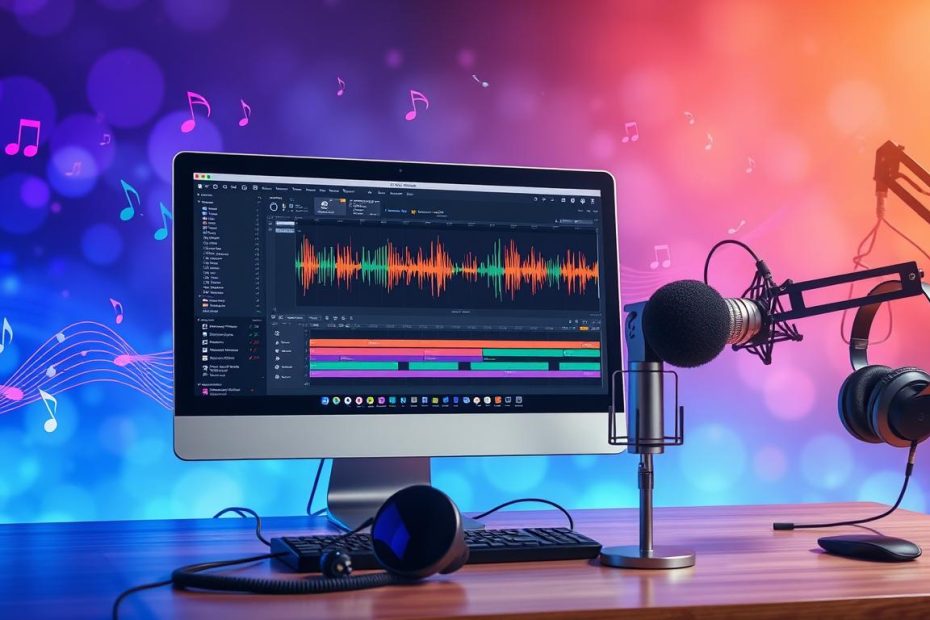
Music recording software is essential for musicians and producers. It lets them compose, produce, record, mix, and edit audio and MIDI. Recording music is a crucial step that this software makes easier.
With a virtual recording studio, you can create quality music without a physical studio.
In 2024, software such as Bitwig, Studio One 4.5, and Ableton Live 11 is very popular. Audacity, Pro Tools, Garage Band, Logic Pro, Steinberg Cubase Pro 10, FL Studio 20, and REAPER offer a range of features. These tools are essential for recording music reliably and efficiently.
In this guide, we will explore the basics of music recording and the software available. This will help you choose the best software for recording music and creating a virtual recording studio.
The fundamentals of digital music recording
To record songs, you need to understand the basics of digital recording. Good mixing software is essential for producing quality tracks. Beginners can learn through sound recording tutorials.
Sales of recording software have risen sharply. This shows that more people want to record at home. About 80% of beginners struggle to choose the right equipment for their studio. To learn more, read this guide to using music production software.
- A powerful computer for recording and mixing
- A quality audio interface for your instruments and microphones
- Studio monitors for listening to your recordings
- Monitoring headphones for recording and mixing
By following these tips and using the right tools, you can make quality recordings. Practice regularly and try different software and equipment to improve your skills.
Software for recording music: comparing the best options
Many music recording programs are available, each with its own advantages. Before choosing one, consider your needs and experience level. Pro Tools | First and Ableton Live Lite often come bundled with hardware purchases.
For beginners, Audacity and Kristal Audio Engine are free. Cakewalk by BandLab and Ardour are also free options for a home studio. DAWs serve different musical needs.
Free options for beginners
- Audacity: free software with advanced features such as multitrack editing.
- Cakewalk by BandLab: a free DAW for a home studio, with features such as MIDI import.
- Ardour: an open-source tool with advanced features such as MIDI import and multitrack editing.
It is useful to try demo versions of several DAWs. This will help you find the one that suits you best. By comparing their features, you can find the ideal software for recording music.
Essential recording techniques
To produce a quality audio recording, you need to know a few techniques. These include setting up your audio equipment and adjusting input levels. Managing latency is also crucial. You can create a virtual recording studio with mixing software and a computer.
Software such as Ableton Live 10 and Audacity is very flexible. It lets you record, edit, and mix audio. It is important to choose the program that meets your needs. Tips for creating your electronic music studio are available on Antiloops.
Here are some key steps to improve the quality of your recordings:
- Use quality microphones to capture sounds accurately
- Adjust input levels to avoid distortion
- Manage latency to keep everything perfectly synchronized
By following these steps and using the right tools, you can create high-quality recordings. Consider treating the acoustics of your recording space to reduce outside noise. Use acoustic panels to improve sound quality.
Setting up and optimizing your recording workstation
To achieve excellent recording quality, you need to set up your workstation properly. You will need suitable software for recording music. Quality equipment, such as microphones, monitors, and an audio interface, is also essential.
Here are the key steps for setting up your workstation:
- Choose a soundproof room to reduce noise
- Set up your workspace with an ergonomic desk, then install your computer and music software
- Connect your audio interface and monitors for accurate sound reproduction
It is also important to keep your software up to date, including your music recording software and plugins. A sound recording tutorial can help you better understand the recording process.
To optimize your workstation, consider latency and sound quality. Use a quality audio interface and set up your monitors and headphones correctly. Quality song recording requires attention to these details.
| Equipment | Description |
|---|---|
| Audio interface | Connects your audio equipment to your computer |
| Microphones | Capture sounds accurately |
| Studio monitors | Reproduce sound accurately |
Conclusion: starting your music recording project
To start your music recording project, choose music recording software that meets your needs. Since 2000, software such as Cubase SX3 has made music more accessible. VST plugins and sample packs have brought greater flexibility and creativity.
Set up your virtual recording studio carefully. Focus on the acoustic treatment of your space. Affordable studio monitor options can improve your listening experience.
Finally, trust yourself and explore music production. With the right tools and discipline, you can achieve your musical dreams. This exciting field is waiting for you.